
- Creating and Publishing a Form
- Instant Forms
- Conversational Form
- Create Multi Step Forms In WordPress
- Using Calculations in SureForms: A Step-by-Step Guide
- Calculation Formula Guide
- SureForms Login Block – Step-by-Step Guide
- SureForms Registration Block – Step-by-Step Guide
- SureForms – PDF Generation Feature
- GDPR Compliant Forms
- Adjust Form Notification Emails
- Form Confirmation
- Entries Management Feature Guide
- How to Add Query Parameters to Form Redirects
- How to Fetch Query Parameters from URL
- Set the “From Email” in SureForms
- Setting Up “Reply-To” Email Using Form Input Tags – SureForms
- Restrict Form Entries in SureForms
- Form Scheduling in SureForms
- Conditional Confirmations in SureForms
- SureForms Integration with ActiveCampaign
- SureForms Integration with AgileCRM
- SureForms Integration with Airtable
- SureForms Integration with LatePoint
- SureForms Integration with FluentCRM
- Connect SureForms To Zapier
- Automate WordPress Forms with the Custom App Builder
- SureForms Integration with Telegram
- SureForms Integration with Breeze
- SureForms Integration with Brevo
- Unable to Upload SureForms ZIP: File Unzipped On Download
- Browser Support for SureForms
- Not Getting Update Notifications
- How To Rollback to Previous SureForms Versions
- Publishing Failed: Invalid JSON Response
- Troubleshooting Email Sending In SureForms
- SureForm Submissions Marked as Spam – How to Fix
- API Request Failed – Nonce Verification Error
- Fixing the “Destination folder already exists” Error When Installing SureForms
- How to Set Up SureForms with Caching Plugins
- srfm_enable_redirect_activation
- sureforms_plugin_action_links
- srfm_quick_sidebar_allowed_blocks
- srfm_integrated_plugins
- srfm_suretriggers_integration_data_filter
- srfm_form_submit_response
- srfm_enable_gutenberg_post_types
- srfm_languages_directory
- srfm_form_template
- srfm_disable_nps_survey
Advanced Form Styling Options
Advanced Style Options to help you take full control over your form’s appearance, and are available in both the Free and Premium versions of SureForms.
Free Version: Basic Styling Options
In the Free version, you’ll find padding and border radius settings under the embedded form panel. These settings let you quickly adjust the spacing and rounding of form fields to match your website’s design.

These options are also available for Instant Forms from the Instant Form settings panel.

Premium Version: Advanced Styling
The Pro version unlocks more powerful styling options. You can select between SureForms Default and Custom styling modes:

Advanced Mode Unlocks:
With Advanced styling , the following settings become available:
- Layout Controls:
- Row Gap
- Column Gap

- Field Styling:
- Background Color
- Label Color
- Help Text Color
- Label Size
- Help Text Size
- Label Gap (space between label and input)
- Border Settings (color, width, radius)
- Box Shadow – Normal, Focus
- Color
- Horizontal
- Vertical
- Blur
- Spread
- Position
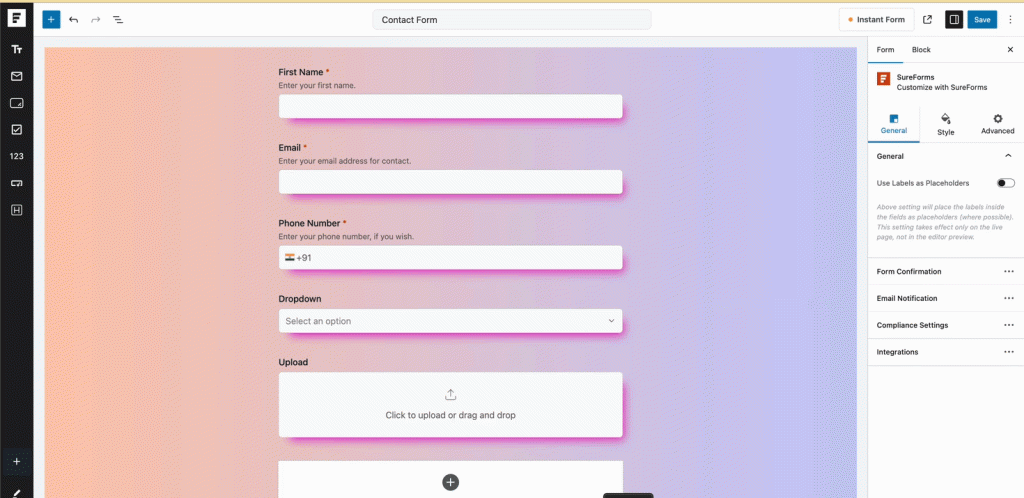
- Button Styling (Normal & Hover):
- Text Color
- Background Color
- Typography
- Padding
- Border Settings (style, color, width, radius)

- Error Message Styling: Customize the color of validation error messages independently.
- Error Text Color

- Page Break Styling: When using multi-step forms with Page Breaks, you can style the navigation buttons and apply unique hover styles to enhance user interaction.
- Next Text Color
- Next Background Color
- Next Border Color
- Previous Text Color
- Previous Background Color
- Previous Border Color

Conversational Forms Styling
For Conversational Forms, we offer tailored styling options:
- Field Sizing:
- Label Size
- Text Size
- Welcome Screen Customization:
- Title Size
- Message Size

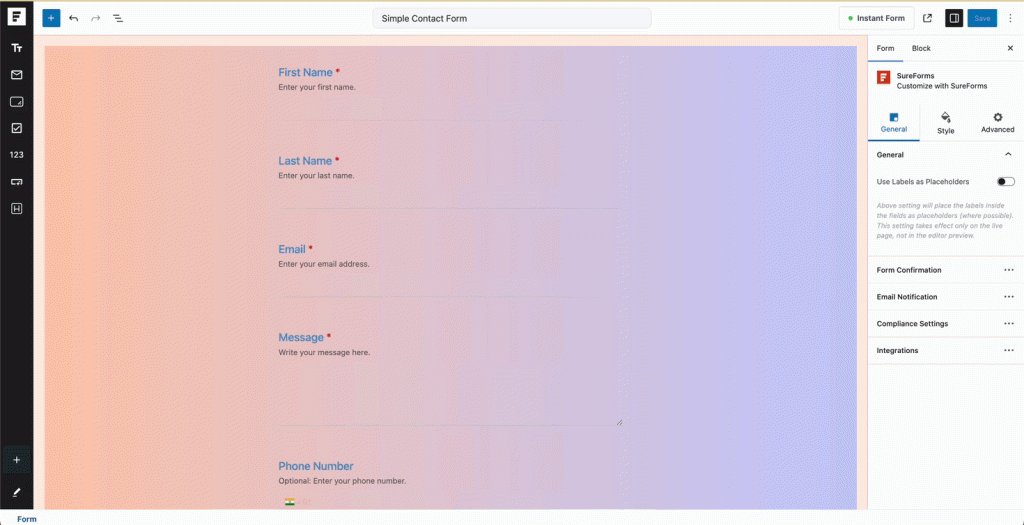
Preview in Editor = What You See on Frontend
All styling changes you make in the editor will reflect exactly the same on the live site. No guesswork needed.
We don't respond to the article feedback, we use it to improve our support content.